
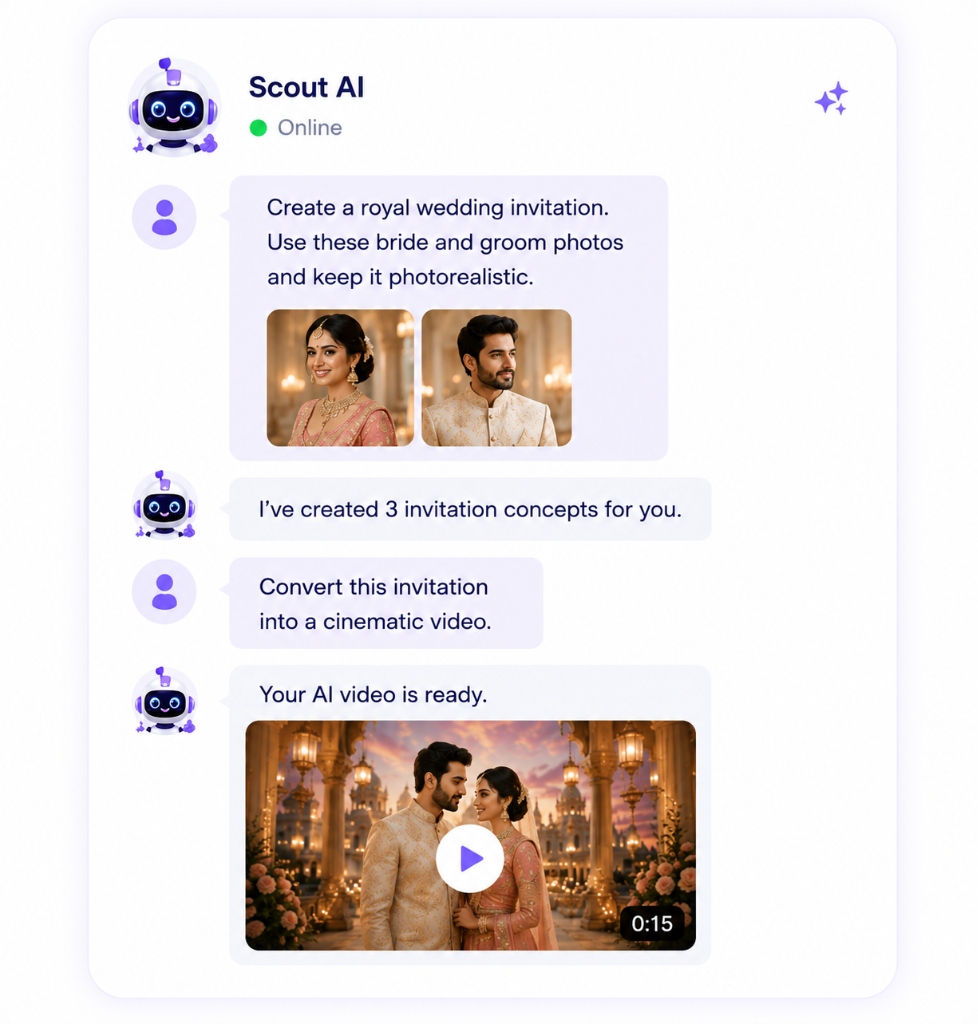
What Scout is
Scout is designed to make invitation creation feel conversational. You can describe what you want in normal language, then use Scout to help create invitations, edit designs, generate AI visuals, and transform content inside Kalpora.
This matters because invitation design is often emotional and specific. A user may not know the exact design term for what they want, but they can say, "make this more royal", "use a blush and gold wedding style", "make this birthday invite playful", or "turn this into a cleaner premium layout." Scout helps translate that intent into design direction.
Start with a template, a blank canvas, or a reference
The easiest path is to choose a wedding or birthday invitation from the Kalpora template library. A template gives Scout context: the event type, layout, colors, typography, and overall mood are already present.
You can also start from a blank canvas or use the Import Template flow if you have a reference image. If the design comes from a flat image, Magic Layers and AI Text Extract can help make the important text and design parts editable before Scout helps refine the direction.
Describe the outcome, not the tool steps
With Scout, you do not need to begin by saying which button to click. You can describe the result you want. Good prompts are specific but natural:
- "Make this wedding invitation feel royal, blush, and gold."
- "Create a soft floral birthday invite for a seven-year-old."
- "Make this design more premium and less crowded."
- "Generate a visual direction for a modern Indian wedding invite."
- "Help me turn this reference into an editable invitation style."
Scout is most useful when the instruction includes the event, tone, and visual preference. You can mention colors, culture, mood, format, or what you want changed.
Edit and refine the design
Scout can help with design changes, AI-generated visuals, text direction, and content transformation. You stay in control of the final invite. You can still edit names, dates, photos, colors, and layout details manually in the editor.
Think of Scout as a creative assistant sitting inside the invitation workflow. It helps you move faster, but it does not replace review. Always check names, event dates, venue details, family names, and spelling before exporting or publishing.
How Scout works with AI visuals
Sometimes the design needs more than text changes. You may want a new background, a different visual mood, or AI-generated artwork that matches the invitation. Scout can help guide these AI visual changes using plain-language direction.
For example, a designer may start with a simple layout and ask Scout to explore a more premium look. A family may start with a birthday template and ask for a softer fantasy theme. The output should still be reviewed and refined in the editor, especially when personal photos or event details are involved.
What Scout is not
Scout should not be described as a standalone video editor. Kalpora has motion and video-related invitation tools where supported, but Scout's clearest role is plain-language help for creating, editing, generating visuals, and transforming invitation content.
Export or publish
When the invitation feels ready, export it in the supported format for sharing. If you are a designer, you can also publish reusable templates so customers can use or buy your designs.
Ready to try Scout?
Open the template library and start from a design that matches your event.
Explore Templates